How to Choose the Right Laptop for Work, Study, and Play
Find the perfect laptop for your work, study, and play. Compare CPUs, RAM, storage, screens, battery life, ports, and budget to choose wisely.
Define Your Use Case: Start by mapping your daily tasks to clear laptop requirements. For work, consider the applications you rely on—spreadsheets, conferencing, design suites, code editors—and whether they demand sustained performance or just quick bursts. For study, prioritize portability, battery reliability, and a comfortable typing experience for long note-taking sessions, plus a dependable webcam and microphone for virtual classes. For play, decide between casual titles that run well on integrated graphics and graphically intensive games that benefit from a discrete GPU. Think about where you will use the device: at a desk, in transit, or on a couch. Factor in mobility, battery life, and durability. Clarify how much storage your projects need and whether cloud workflows fit your habits. Set a realistic budget that covers accessories like a dock, external monitor, or backup drive. When you define your scenario first, specifications stop being abstract numbers and become a targeted checklist that matches your real-world routine.
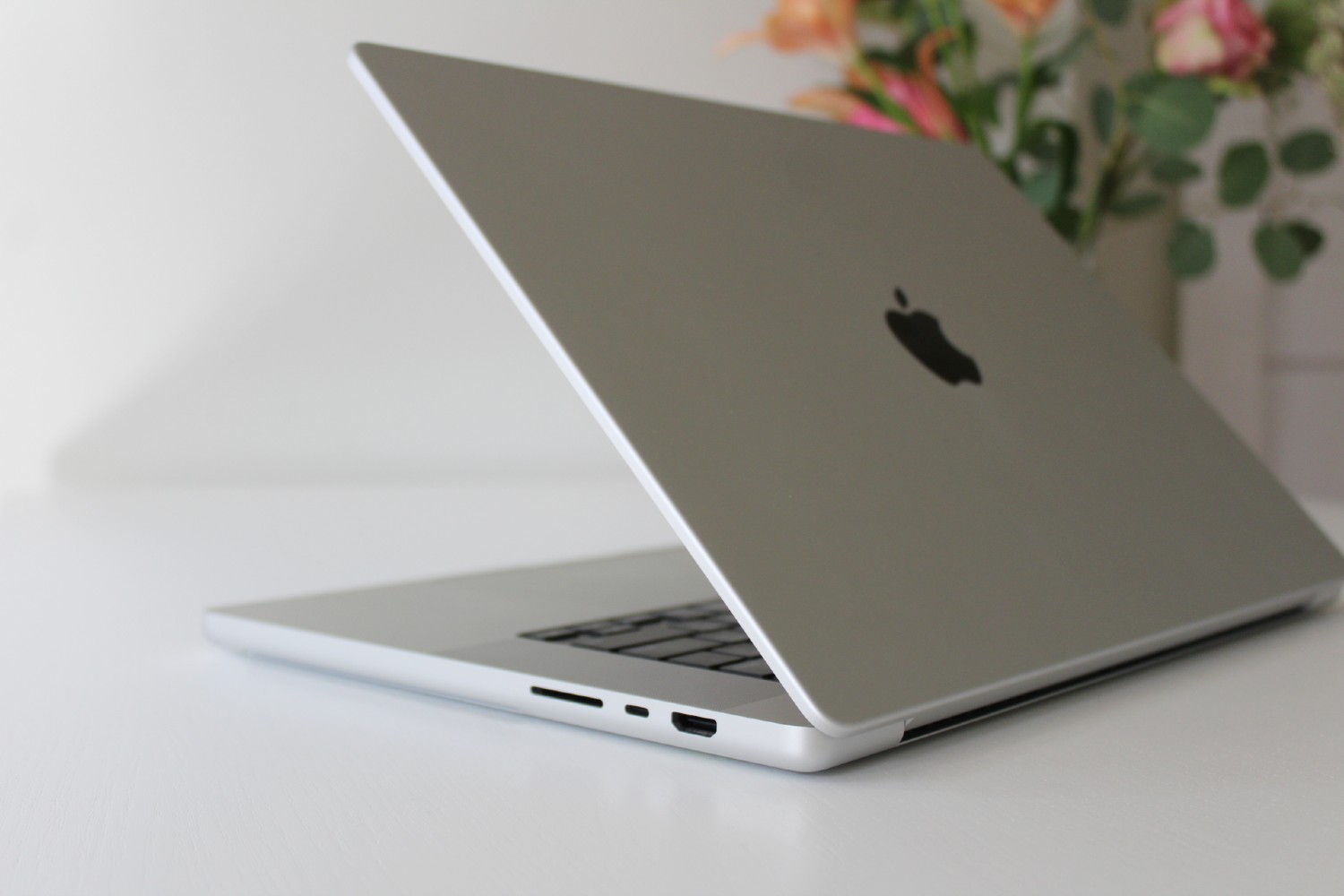
Processor and Graphics Priorities: The CPU and GPU shape your laptop's speed and responsiveness. For spreadsheets, research, and light productivity, modern CPUs with efficient cores handle multitasking gracefully while keeping heat and fan noise modest. Developers, analysts, and creators may prefer more cores for smoother compilation, virtualization, and media encoding. For graphics, integrated GPUs are efficient for office work, video playback, and indie games; discrete GPUs accelerate 3D design, video editing, and AAA gaming, but add weight, heat, and power draw. Performance depends on cooling and thermal headroom, not just model names—thin designs can throttle under sustained loads. If you game or render, look for well-ventilated chassis and adjustable performance profiles. If you value silence and battery longevity, prioritize balanced power management. Remember that smarter thermal design can outperform raw specs in real tasks, and that a measured approach often yields the best blend of speed, comfort, and endurance.
Memory and Storage Matter: RAM determines how many apps and browser tabs you can juggle without slowdowns. For lean workflows, moderate RAM suffices; for heavy multitasking, databases, or creative suites, step up to higher capacities and consider dual-channel configurations for better throughput. Check whether memory is soldered or upgradeable—being able to add RAM extends the laptop's useful life. For storage, prefer a fast SSD for quick boots and snappy file access; NVMe drives provide the best responsiveness. Estimate your needs generously if you manage large media, scientific data, or local virtual machines. A smaller internal drive paired with an external SSD can be a flexible, budget-friendly mix. Enable encryption to protect sensitive files and consider automated backups to avoid data loss. Creators benefit from keeping system, project, and cache files on separate volumes when possible. Choosing the right balance of memory and storage is a practical way to future-proof performance without overspending on components you will not fully use.
Display, Portability, and Battery: The right screen boosts comfort and accuracy. A sharp resolution improves clarity for text and design, while a taller aspect ratio gives more vertical space for documents and code. If color matters, seek wide gamut coverage and factory calibration options. Travelers often prefer 13–14 inch laptops for lightness; multitaskers may enjoy 15–16 inch panels with room for split views. Matte finishes cut glare under bright lights; glossy enhances contrast but reflects. Higher refresh rates make motion smoother for gaming and scrolling, though they can reduce battery life—many laptops let you switch modes. Evaluate brightness for outdoor work and check hinge stability for lap use. On portability, consider weight, charger size, and USB-C charging flexibility. For battery, look beyond capacity—efficient processors, integrated graphics, and optimized displays often yield longer unplugged time. Prioritize energy profiles and quick-charge capabilities if you move frequently between meetings or classes.
Inputs, Build, and Connectivity: Your hands and eyes experience the laptop more than benchmarks do. A comfortable keyboard with sensible layout, defined key travel, and consistent feedback reduces fatigue during long sessions. A precise trackpad with reliable palm rejection and gesture support matters as much as raw performance. Look for sturdy hinges, rigid chassis materials, and accessible screws for maintenance. Good thermals—vents, heat pipes, and unobstructed intakes—keep performance steady and fan noise reasonable. Port selection defines convenience: a mix of USB-A, USB-C, possibly Thunderbolt, HDMI, and an SD card slot covers most workflows; Ethernet helps for stable uploads or low-latency gaming. Prioritize Wi‑Fi and Bluetooth standards that match your router and peripherals. A quality webcam, dual microphones, and front-facing speakers improve calls and media. Bonus points for a privacy shutter, fingerprint reader or face unlock, and backlit keys. These tactile and practical touches shape daily satisfaction more than a few extra benchmark points.
Operating System and Ecosystem: Choose an OS that pairs with your software needs and personal devices. Windows offers broad app and hardware compatibility, strong gaming support, and flexible device management. macOS shines with tight ecosystem integration, efficient media workflows, and reliability for creative and productivity apps. Linux appeals to developers and tinkerers who value open-source tools, customization, and lightweight performance. Consider security and updates—features like secure boot, encrypted storage, biometric login, and consistent patches keep data safe. Evaluate ecosystem continuity features such as clipboard sync, file handoff, messaging, and hotspot sharing between laptop, phone, and tablet. For specialized software—engineering suites, accounting tools, or niche creative plugins—verify compatibility and driver support. If you dual-boot or use virtualization, plan sufficient storage and RAM. Your OS choice influences peripheral support, color management, file systems, and long-term maintenance, so pick the environment that makes your daily tools feel effortless.
Budget, Value, and Longevity: Maximize value by balancing must-have features with smart compromises. Spend on components that are hard to change later—CPU, GPU, display—while leaving headroom for RAM or storage upgrades when possible. Compare configurations rather than base prices, and account for accessories, a quality bag, and backup solutions. Consider warranty length, on-site or mail-in support, and global coverage if you travel. A well-built chassis, efficient cooling, and reputable components often outlast faster but poorly cooled alternatives. Explore refurbished or open-box options from reliable sellers to stretch your budget without sacrificing quality. Think about resale value and sustainability—durable materials, replaceable batteries, and standardized parts reduce waste and total cost of ownership. Finally, test your short list: check fan noise, screen uniformity, keyboard feel, and port fit. A measured purchase grounded in your workflow will remain satisfying for years of work, study, and play.